


Auto Background Video Recorder
4.392.00 Reviews
App Specs
- Version
- 3.1.1.1
- Updated On
- License
- Free
- Downloads
- 1,000,000+
- Developer
- Cards
- Categories
- Video Players & Editors
- Platform
- Android
Screenshots

 Analysis by AppCompare
I tend to think about a background recorder less as a camera replacement and more as a way to keep recording while I do something else on my phone. That is the useful idea behind Auto Background Video Recorder: it is a video recording app from Cards that can continue capturing with audio when the phone is locked. That can make a difference when I want to set up a recording and avoid keeping the camera screen open the whole time.
Why recording with the screen off matters
Most built-in camera apps are designed around active filming: open the camera, frame a shot, and keep the display available while recording. A background recorder has a different purpose. It is for situations where I want the phone to keep capturing while the screen is locked or while I move on to another task. The distinction is practical, not magical: I still need to plan where the phone is placed and what it can actually see and hear.
That makes this especially relevant for hands-free situations, such as recording a presentation from a fixed position while I take notes on another device, or documenting a home repair while I check instructions on my phone. I would not treat it as a substitute for a dedicated camera, but I can see why this focused capability is appealing when keeping the display active is inconvenient.
What to prepare before pressing record
A background recording can be easy to start and still turn out poorly if I skip the setup. I would first check the framing with a short test, making sure the lens has an unobstructed view and the microphone is close enough to the sound I care about. Then I would lock the phone only after confirming that recording has actually begun. A brief test also helps me catch avoidable problems, such as a phone pointed at a wall or audio overwhelmed by nearby noise.
Storage is another practical consideration with any video recorder. Before a long session, I would make room on the device and think about how much footage I genuinely need. Recording an entire event may sound safer than missing a moment, but it can leave me with a large file to sort through later. For a meeting or demonstration, starting shortly before the key portion and stopping soon after is often a better workflow.
Getting Started with Auto Background Video Recorder
So, I stumbled upon the Auto Background Video Recorder while browsing for apps that could record videos stealthily in the background. The first thing I noticed was its simple setup. Installing it was a breeze, and within a few taps, I was ready to roll. The app’s interface is straightforward and user-friendly, making it super easy to navigate, even for a newbie.
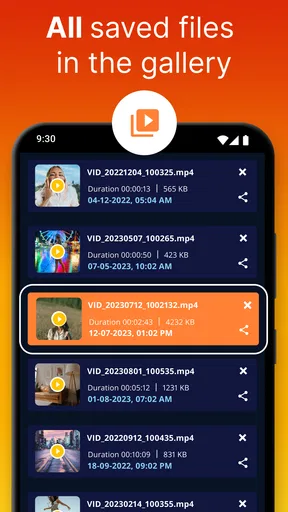
Once opened, the app gives you a clean dashboard with essential functions like starting and stopping the recording, viewing the recorded videos, and setting up various preferences. It’s not cluttered with unnecessary features, which I appreciate. You can tell the developers focused on practicality.
Worth Reading Before You Choose

EA SPORTS FC Mobile 26 Is a Bigger Football Game, but It Takes Time

Flipboard Shows What News Apps Must Do Beyond the Feed

Switching to Android Auto Means Rethinking Your Driving Routine

Google Calendar Makes a Crowded Week Easier to Manage

Ludo King Makes the Most of the Minutes Between Plans

Baby Panda World Brings Quick Play to Modern Phones, but Its Game Library Feels Busy
Features That Stand Out
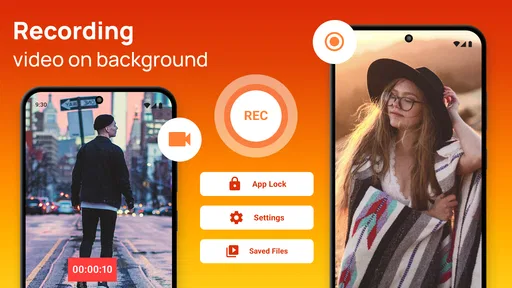
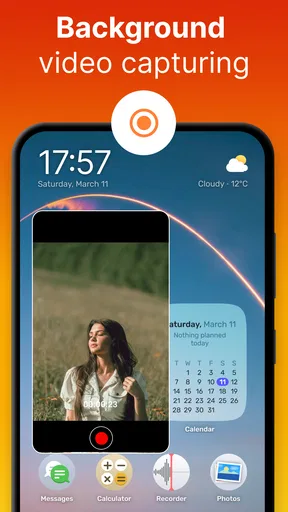
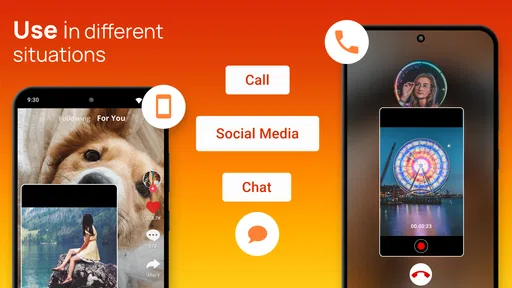
Now, let’s talk about what makes this app shine. The standout feature is, of course, the ability to record videos in the background. This means you can continue to use your phone for other tasks while the app does its magic. Perfect for those moments when you need to capture something discreetly.
Another cool feature is the scheduling option. You can set specific times for the app to start and stop recording automatically. Imagine setting it up before a meeting or event that you want to record without being obvious about it. It’s like your personal surveillance assistant.
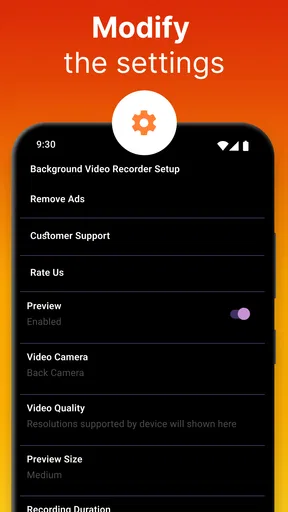
For those concerned about storage, the app offers settings to manage video quality and file size. You can choose between different resolutions and formats, ensuring that your phone’s memory doesn’t get clogged up with large files. Plus, it supports both front and rear cameras, giving you the flexibility to capture from any angle.
Performance and Usability
For a real everyday scenario, I would place the phone securely before a small presentation, start a short test recording, and check that voices are audible from that position. Once satisfied, I could lock the screen and focus on taking notes or following slides on another device. The main benefit is not that the recorder makes filming effortless; it is that I do not have to keep the recording screen visible throughout the session.
That workflow also points to a limitation: a locked phone is harder to monitor. I would not rely on a long recording without checking the setup first, especially if the camera might be blocked or the phone could be moved. A fixed, stable surface and a clear view matter more than any setting. For moving footage, quick reframing, or a shot that needs active attention, the regular camera app is the more natural choice.
In terms of performance, the Auto Background Video Recorder runs smoothly without noticeable lag. I tested it on both Android and iOS devices, and it worked seamlessly on both platforms. The app quietly does its job in the background, and I didn’t experience any crashes or bugs during my testing period.
What’s more, the battery consumption is quite reasonable. I was initially worried that continuous video recording in the background would drain my battery, but the app is surprisingly efficient. It’s designed to balance performance with energy efficiency, so you can record longer without worrying about your phone dying on you.
Choosing it over a regular camera app
The usual camera app is better when image composition is the priority: I can see the preview, adjust the framing, and respond immediately if the scene changes. A background recorder earns its place when the screen being on is the inconvenience, not when I need advanced editing or a polished, actively directed shot. Since this belongs to the video players and editors category, I would still think of it as a recording tool rather than a full production suite.
One useful trade-off is to decide in advance whether I need continuous coverage or only a particular moment. A short, intentional recording is easier to review and manage than hours of footage. If I am documenting a task, I can also position the phone so the important action stays in frame instead of assuming that a wider or longer recording will solve everything. These small choices make the background capability more dependable in practice.
The app is free to install, though it includes optional in-app purchases, with listed items ranging from about a dollar to about a hundred dollars. I would approach those purchases carefully: first try the basic recording workflow and decide whether it fits my needs before paying for anything. Its age rating is Everyone, and it has a 4.3 average from around 15,000 ratings, with over a million installs. Those figures suggest it has found an audience, but they do not replace checking whether its particular recording approach suits my situation.
Security and Privacy
Security is a big deal for me, and I’m sure it is for you too. The app doesn’t require any unnecessary permissions beyond what’s needed to function. Your recorded videos are stored locally on your device, giving you full control over your data. No cloud storage means less worry about privacy breaches.
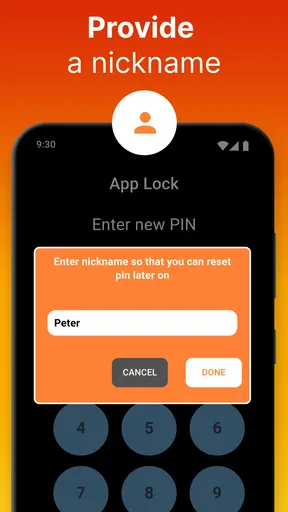
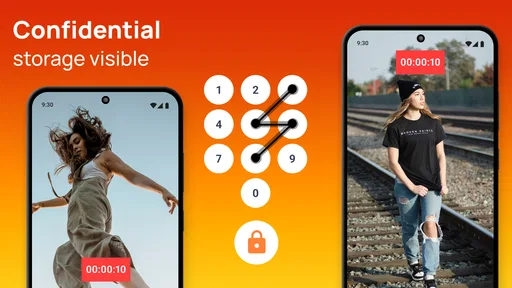
Additionally, the app includes a password protection feature for accessing the recordings, adding an extra layer of security. This is great if you’re recording sensitive content that you don’t want prying eyes to see.
Even with privacy controls, I would use a recorder responsibly. Recording a conversation, workplace activity, or other people can involve expectations and rules that vary by setting. I would make sure I have permission where it is needed and avoid placing a phone where someone could reasonably expect not to be recorded. A discreet recording method should not be confused with permission to record.
For handling files afterward, I would review a clip soon after recording rather than letting it sit unnoticed among other videos. That gives me a chance to confirm the sound and framing while the details are still fresh, then keep or delete the file deliberately. Local storage can feel reassuring, but it also means I am responsible for managing access to the device and its recordings.
Who gets the most from it
I think this is most useful for someone who needs a simple, fixed recording and wants the screen out of the way: a person capturing a hands-on demonstration, a speaker’s presentation with permission, or a task that requires using the phone for something else. The scheduling option can suit a predictable event, but I would test the setup first rather than assume that an unattended recording will work perfectly.
I would skip it if I need a fully visible camera preview, fast changes in framing, detailed editing, or a camera designed for extended professional shoots. It is also a poor fit if I cannot keep the phone safely positioned or if I need immediate feedback while filming. In those cases, the built-in camera or a dedicated video setup gives me more control and makes it easier to catch problems as they happen.
The current version is 3.1.1.1, and it supports Android 6.0 or later. Cards is the developer. For an Android user, those details help set expectations before installing; the essential decision is still whether background recording solves a real inconvenience in their routine. I would start with one short, low-stakes test and judge the result by framing, audio, and how easy the file is to find afterward.
Final Thoughts
All in all, Auto Background Video Recorder is a nifty tool for anyone looking to capture videos discreetly and efficiently. Whether you’re using it for personal or professional purposes, it delivers on its promise with minimal fuss. The user-friendly interface, coupled with practical features, makes it a must-have app for anyone interested in background video recording.
If you’re curious to try it out, you can find download links for both Android and iOS on our site. Give it a whirl, and you might just find yourself relying on it more than you’d expect. Happy recording!
Pros
- Records video discreetly in the background.
- Easy to use with a simple interface.
- Supports multiple video resolutions.
- Allows scheduled recordings.
- Consumes minimal battery during use.
Cons
- Limited editing features within the app.
- Requires permissions that may concern privacy.
- No cloud storage integration.
- Ads can be intrusive at times.
- Free version has limited features.
FAQs for Auto Background Video Recorder
What is Auto Background Video Recorder and how does it work?
Auto Background Video Recorder is an app designed to record videos discreetly while running in the background. It allows users to capture moments without interrupting their device's primary functions. The app operates silently and can be triggered by setting specific time intervals or using shortcuts. This feature is useful for continuous recording without drawing attention.
Is Auto Background Video Recorder safe and legal to use?
The app is generally safe to use, provided it is downloaded from a reputable source like the Google Play Store or Apple App Store. However, users must ensure they comply with local laws and regulations regarding video recording and privacy. It's crucial to respect others' privacy and seek consent when necessary to avoid any legal issues.
Can I customize the video quality and storage settings in Auto Background Video Recorder?
Yes, Auto Background Video Recorder offers customizable settings for video quality, resolution, and storage location. Users can choose between high, medium, or low-quality recordings based on their storage capacity and requirements. The app also allows users to set a specific folder for saving recordings, making it easy to manage and organize files.
Does Auto Background Video Recorder affect battery life and device performance?
While running in the background, Auto Background Video Recorder can impact battery life and device performance. Continuous recording may lead to increased battery consumption and potential device overheating. Users are advised to monitor their device's performance and charge levels while using the app, especially for prolonged recording sessions.
Are there any in-app purchases or ads in Auto Background Video Recorder?
Auto Background Video Recorder may include ads and offer in-app purchases to unlock additional features or remove advertisements. The basic version typically provides sufficient functionality for casual users, but those seeking a more enhanced experience might consider purchasing premium features. Checking the app's description for details on monetization and offerings is recommended.


